Layouts
Bulma Layout objects
The layout objects below are either bulma specific or have been modified to support bulma. The complete list of all layout objects can be found here.
These ones live under module crispy_bulma.layouts.
Button: Creates a button:
Button('Delete', css_class='is-danger')
Renders to:
<button class="button is-danger">Delete</button>
Submit: Used to create a submit button. First parameter is the
nameattribute of the button, second parameter is thevalueattribute:Submit('search', 'SEARCH')
Renders to:
<input type="submit" class="button" name="search" value="SEARCH" id="submit-id-search" />
Hidden: Used to create a hidden input:
Hidden('name', 'value')
Reset: Used to create a reset input:
Reset('name', 'value')
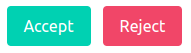
FormGroup: It wraps fields in a
<div class="field is-grouped">. It is usually used to wrap form’s buttons:FormGroup( Submit('accept', 'Accept'), Button('Reject') )
IconField: It renders an input with optional icon left and/or icon right. Note that IconField also supports an icon_append keyword argument. This field has been tested only with font-awesome icons:
IconField('field_name', icon_prepend="fa-solid fa-envelope")

These ones live under module crispy_bulma.bulma.
InlineCheckboxes: It renders a Django
forms.MultipleChoiceFieldfield using inline checkboxes:InlineCheckboxes('field_name')

InlineRadios: It renders a Django
forms.ChoiceFieldfield with its widget set toforms.RadioSelectusing inline radio buttons:InlineRadios('field_name')
